What it is
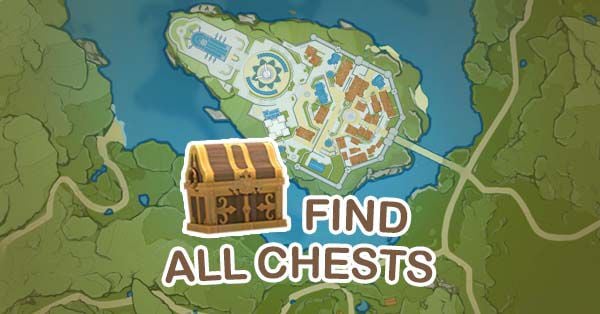
HoYoLAB Interactive Map is the official interactive map of Genshin Impact, developed and maintained by HoYoverse, the game's creator. It covers all of Teyvat with its different regions (Mondstadt, Liyue, Inazuma, Sumeru, Fontaine, Natlan, and future ones), showing locations of practically every collectible resource, secret, and point of interest.
The tool works in web browser, is completely free, and is localized to 15 languages including native Spanish. It's part of HoYoLAB, HoYoverse's official community platform that also includes forums, daily check-in for primogems, and other services.
As an official product, it receives immediate updates with each new game version: when HoYoverse launches a new region or adds resources, the map includes them instantly without the latency community maps have.
What problem it solves
Genshin Impact is a massive game with a huge open world and thousands of collectible resources distributed across all its regions. Each zone has hundreds of chests, oculus for upgrading the Statue of the Seven, local specialties for ascending characters, specific monsters for farming materials, hidden achievements, and puzzles requiring specific patterns to solve.
Exploring the game without an interactive map is possible but inefficient: you'll miss chests by not finding the hidden cave, you'll be blocked on ascension by not knowing where to farm a certain material, you'll have achievements at 80% without knowing what you're missing. Multiplied across six regions (and growing), the lost hours are significant.
HoYoLAB Map solves this by exposing all exploration information in visual and interactive format. You search for what you want to find, filter the map, and go directly to locations. The tracking system also remembers what you collected, so you only worry about what's missing.
What people use it for
Finding resources to ascend characters: the most common use case. Each character requires ascending with specific local specialties (example: Hu Tao needs Silk Flower from Liyue). The map shows all locations for each material, calculated to have sufficient quantity.
Completing exploration achievements: each region has an exploration percentage that goes up when you collect oculus. Genshin rewards primogems for upgrading the Statue of the Seven with enough oculus. The map shows all oculus to 100% each region.
Farming chests in specific subzones: when looking for more primogems or materials, chests are an important source. The map filters by rarity type (common, precious, luxurious) to prioritize those giving the most reward.
Locating bosses for daily resin: regional bosses are farmed daily with resin to obtain ascension materials. The map shows exact location and what each one drops.
Finding puzzles and secrets: many regions have puzzles that reward special chests (Time Trials, Sunken Pillars, Pressure Plates, etc.). The map marks them with explanations of how to solve them.
Planning efficient farming runs: when you want to farm several resources at the same time, the map helps you plan optimal route between nearby locations.
Tracking what you've already done: if logged in with HoYoverse account, the map syncs your progress between devices. You mark chests collected on PC and they appear marked on mobile too.
The advantage of being official
Something important about HoYoLAB Map: it's one of the few cases where an official tool is clearly superior to community alternatives. Community maps exist (AppSample, community Genshin Impact Map), but the official has unique advantages:
Always updated data: when HoYoverse launches Natlan or any new region, their map has it from day one. Community maps can take weeks to fully cover new content.
Multi-language localization: 15 languages including Spanish, which most community maps don't offer. The interface, resource names, location descriptions — all in your language.
Account synchronization: your tracking progress syncs with your HoYoverse account, accessible from any device.
Precise official information: resource names, mechanic descriptions, drop data — everything is direct information from HoYoverse, with no risk of community errors.
No risk of discontinuation: HoYoverse has incentive to keep this map running because it's part of their official ecosystem. Community maps can be abandoned.
Honest limitations
Not completely exhaustive in secondary information. While markers for chests, oculus, and materials are complete, secondary information like optimal farming routes, time trials with how-to-solve guides, or exploration tips may be better covered on community maps or YouTube videos.
Requires HoYoverse account for persistent tracking. Without login, you can use the map but tracking what you collected is lost when closing the browser. For sync between devices you do need an account.
The interface can feel heavy on less powerful browsers. The map has lots of information and many markers. On older PCs or low-end tablets it can be slow.
Bias toward user retention. As it's official, there are subtle links within HoYoLAB inviting you to other platform functionalities (forums, daily check-in, events). It's not invasive but is present.
Some functionalities require understanding HoYoverse ecosystem. Account sync, daily check-in rewards, notifications — everything assumes you know HoYoLAB in general. For someone who just wants "to see a map", it can be overhead.
Doesn't have forums or community discussion integrated to the specific map. Community maps usually have comments where other users share tips. HoYoLAB has forums but separated from the map, not contextually integrated.
New regions may have incomplete initial coverage. Although HoYoverse adds them quickly, certain hidden zones or puzzle secrets in new regions may take additional patches to be 100% mapped.
How it's used in practice
The basic flow is very direct:
You go to HoYoLAB Map. It shows you the world map with all regions.
You choose the region where you're exploring (or going to explore). The map zooms to that zone.
You use side panel filters to show only what interests you: chests, oculus, specific materials, bosses, etc.
Click on each marker shows you additional info: what it is, how to get there, reference screenshots.
If you have HoYoverse account and are logged in, right-click on marker lets you mark it as "completed" so it disappears or visually fades.
For recurring use, practical recommendation: keep HoYoLAB Map open in separate tab or secondary device while playing. You mark resources as you collect them. After several sessions, you visually see what's missing from each region to complete it.
For specific farming (example: you need 60 Cor Lapis to ascend Hu Tao), you filter the map for only that material, see all locations, and plan your route to collect them efficiently. Cor Lapis respawns every 48 hours, so this becomes periodic routine.
How to get started
Doesn't require installation. You go to act.hoyolab.com/ys/app/interactive-map/index.html from any browser. For best experience, recommendation: PC or tablet with large screen. On mobile it works but the map feels cramped.
For your first time, don't try to explore all functionalities immediately. Choose a specific region where you're playing, activate chest and oculus filters, and use it for that region. Once you familiarize with the interface, you expand to other regions and other types of resources.
If you want synced tracking, create free HoYoverse account (you probably already have one if you play Genshin) and log in. This lets you mark collected chests and have progress maintained between sessions and devices.
For maximum benefit, combine it with creator exploration guides (YouTube videos covering each region specifically) and with KQM farming guides when you're farming materials for specific characters. HoYoLAB Map shows you where, videos show you how to reach difficult locations.