What it is
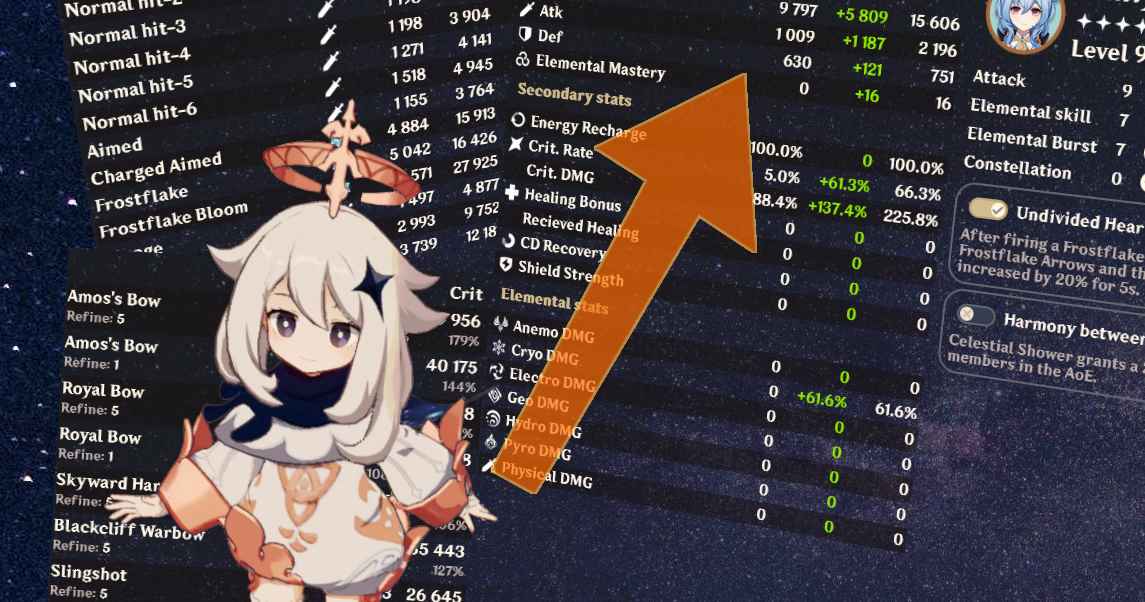
Akasha System is a web platform that extracts and aggregates character data from real Genshin Impact players, generating damage leaderboards and comparative rankings. Unlike tools like Genshin Optimizer that calculate theoretical damage, Akasha shows the damage real players are achieving with their builds, based on verified Spiral Abyss runs.
It's an open source project maintained by Daniel and community contributors. Currently only available in English. The interface reflects its technical nature: dense tables of numbers, advanced filters, and detailed comparisons between builds.
Despite the .cv domain (Cape Verde) that may raise doubts, it's a legitimate project recognized by theorycrafters and the Genshin endgame community. Open source code allows verifying exactly how data is calculated and aggregated.
What problem it solves
Genshin Impact is a single-player game without PvP system or official rankings. But players want to know how they compare: is my Hu Tao well optimized or am I far from the ceiling? How hard is it really to reach 1 million burst damage? Is my Raiden performing as it should for its build?
Without community data, these questions get answered with guesswork. Guides tell you what stats to target, calculators tell you optimal theoretical damage, but none tells you "this is the damage people with builds similar to yours are actually achieving".
Akasha solves this by aggregating real data. When you upload your character to Akasha (via your public UID), your build gets compared against thousands of other builds of the same character. It tells you exactly what percentile you're in, which players are higher, and what they do differently.
What people use it for
Verifying if your build is near the ceiling: the most direct use case. You upload your character to Akasha and see if your damage is at top 10% level, top 25%, or far. If far, you identify what to improve.
Studying top builds for inspiration: when rankings show builds achieving exceptional damage, you can see exactly what artifacts, what weapon, what constellation, what target stats they have. Useful for refining your own build.
Identifying patterns in optimal builds: aggregated stats show trends. For example: "80% of top Hu Tao use Crimson Witch + Wanderer's Troupe", or "average crit ratio in top builds is 1:2". That statistical information complements KQM's qualitative recommendations.
Comparing your performance with realistic goals: instead of comparing with optimal theoretical calculation (which requires impossible perfect artifacts), you can compare with "what's actually achieved playing", which is more realistic and motivating.
Investigating viability of niche characters: for less popular characters, seeing how many players use them in endgame and with what success tells you if it's worth investing in them. If nobody in Akasha has a viable Yanfei, there are reasons to think about it.
Validating experimental team comp combinations: if you want to try an unconventional team comp, Akasha shows you if someone is already making it work and with what builds.
The difference with Genshin Optimizer
It's important to understand Akasha and Genshin Optimizer are complementary, not competitive:
Genshin Optimizer: shows you optimal theoretical damage of YOUR inventory. Works with your real artifacts and calculates mathematically what combination maximizes the result. It's "what I can achieve with what I have".
Akasha System: shows you the real damage real players are achieving. Works with aggregated community data. It's "what's being achieved out there".
Together they give the complete picture: GO shows you your personal ceiling, Akasha shows you the realistic community ceiling. If your GO says your Hu Tao can hit 800k burst and Akasha shows tops doing 1.2M, you know you need better inventory before better optimization.
Who this tool is NOT for
Akasha System is clearly for advanced audiences. If you're starting with Genshin or haven't finished optimizing your main characters, Akasha will probably frustrate you more than help. Reasons:
Rankings assume already-polished builds. Top builds have pristine artifacts with near-perfect stats. Comparing your character in progress against those rankings is frustrating and unproductive.
Doesn't explain the "why" behind top builds. Akasha shows what tops have, but doesn't tell you how they got there or if that build is replicable for you. For understanding "why" you need KQM guides.
Perspective can create unproductive FOMO. Seeing builds hitting 1.5M when yours hits 600k can generate frustration when the difference is mainly due to perfected artifacts with hundreds of hours of farming, not optimization you can do.
Honest recommendation: use it when you've already done the basics (KQM + Genshin Optimizer + consistent farming). Akasha is the cherry, not the bread.
How it's used in practice
To upload your own data to Akasha, you need to:
Enable your character showcase in-game (public configuration).
Enter your UID in Akasha System.
Akasha extracts the characters you have in showcase and processes them.
In a few minutes you can see your rankings and comparisons.
Once your data is processed, the typical flow is:
To verify your build:
Search your character in Akasha.
See where your build sits in the general leaderboard.
Compare with builds in specific percentiles (top 10%, top 25%) to see gaps.
Identify which stats are lower in your build vs top builds.
Go back to Genshin Optimizer to see if you can improve with your current inventory.
To investigate inspiring builds:
Search the character you want to improve.
Sort by damage descending.
Click on top builds shows the complete setup (exact artifacts, weapon, talent levels, constellations).
Identify patterns: which sets predominate? Which weapons? What target stats?
Adjust your objectives in KQM and Genshin Optimizer accordingly.
Honest limitations
Only available in English. The interface and character names are in English. For Spanish users there may be a barrier, especially because technical terms abound.
Bias toward whale builds. Since many top players have access to artifacts and weapons that F2P don't have, rankings reflect that. Truly F2P builds may not appear in top 10% for reasons of investment, not optimization.
Only shows characters in showcase. Akasha can only see characters you have in your public game showcase (8 slots maximum). If you want to track more, you have to rotate.
Data on specific Spiral Abyss may be limited. While damage rankings are extensive, data about specific Abyss clears (which teams cleared, in what time) may have more limited coverage.
Doesn't fully include very new characters. When a new character launches, it takes weeks to appear with significant rankings in Akasha because the community needs time to have optimized builds.
The UID system can have problems occasionally. HoYoverse privacy changes or issues with game showcase can make your data not update for periods.
Comparisons can be unfair without context. A C0 Hu Tao with F2P weapon vs a C2 Hu Tao with signature weapon will have completely different damage. Filters help but don't completely eliminate this factor.
How to get started
Doesn't require installation. You go to akasha.cv from any browser.
For your first time, recommendation: first explore leaderboards of a character you know well before uploading your own data. This familiarizes you with the format and gives you context before seeing your own rankings.
When you're ready to upload your data:
In-game, configure your showcase with the characters you want to rank (8 slots).
Make sure your profile is public in settings.
Find your UID in-game (bottom right corner of settings menu).
Enter the UID in Akasha and wait for processing.
Once processed, you receive your rankings and can explore.
To get maximum benefit, complement Akasha with the rest of the ecosystem:
KQM tells you what objectives to pursue.
Honey Impact gives you primary game data.
Genshin Optimizer optimizes your specific inventory.
Akasha shows you where you are vs the community.
Each tool brings a unique perspective, together they cover the whole optimization cycle.