What it is
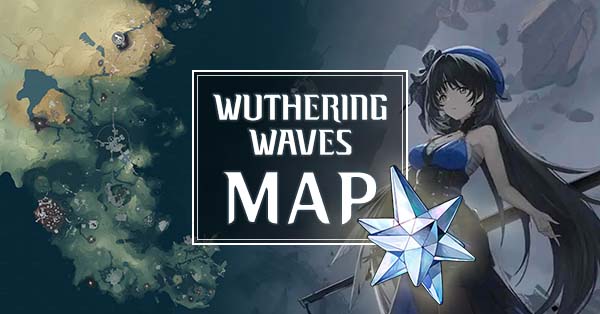
Appsample is a service that builds interactive maps for many games, and its Wuthering Waves map covers open-world collectibles: chests, ascension plants and minerals, Echoes, and the rest of the points of interest scattered across the regions.
Its standout feature is the per-marker comments section: users can leave notes and, above all, upload photos of the item or the exact location. When a marker is ambiguous or the collectible is hidden behind a puzzle or a non-obvious jump, that community social layer usually clears things up better than any text description.
It's free, ad-supported.
What problem it solves
Some Wuthering Waves collectibles aren't found just by knowing the dot on the map: they're inside a cave, on top of a structure, behind a puzzle, or require a specific interaction to appear. A marker can tell you "there's something here" without telling you how to reach it.
That's where a static map fails and Appsample shines. The photo another player uploaded showing the exact angle, the cave entrance, or the puzzle order saves you the ten minutes of circling the marker without understanding what to do. It's contextual community help pinned right to the spot on the map where you need it.
Differentiation
Appsample competes with Qiqi's Notebook as an interactive Wuthering Waves map. The core difference is the focus: Qiqi's bets on a polished checklist to track progress; Appsample bets on the social layer.
If your friction is "I don't know what's left", Qiqi's wins. If your friction is "I know there's something here but I can't figure out how to grab it", Appsample wins, because the comments section with community photos gives you the visual cue a marker alone can't convey. In exchange, the interface is less clean and carries ads.
What people use it for
- Unblocking hidden collectibles by reading the comments and looking at the photos others uploaded.
- Confirming ambiguous locations when a marker doesn't make clear exactly what it refers to.
- Solving collection puzzles with the step-by-step hints the community leaves behind.
- Locating general collectibles across the open world region by region.
- Reporting or correcting a misplaced marker by leaving a comment for everyone else.
Who this tool is NOT for
If ads bother you or you want the cleanest possible interface, Qiqi's Notebook is more comfortable. If you're after a persistent checklist to track your exploration percentage, that's not Appsample's strength: its value is the social layer, not the tracking. And like any map, it's no help for looking up game data (kits, stats, materials): for that you'll need a database.
How it's used in practice
- Open wuthering-waves-map.appsample.com.
- Navigate to the region and toggle on the marker layers you care about.
- Find the collectible you're looking for on the map.
- If the location isn't obvious, open that marker's comments section and check the community's photos and notes.
- Follow the visual cue to the item in-game; if you find something wrong or want to help, leave your own comment.
Honest limitations
- It depends on community input: newer or less popular markers may not have photos or comments yet.
- Ads: being ad-supported, the experience is less clean than ad-free free alternatives.
- No robust checklist: it's not built to track exploration progress as well as Qiqi's Notebook.
- Variable comment quality: hints are left by users, so they can be outdated, incomplete, or wrong.
How to get started
Go to wuthering-waves-map.appsample.com and locate the region you're exploring. Use it as a complement: when a marker confuses you or you can't figure out how to grab a collectible, open its comments before giving up. If you find a hint that helped, consider leaving your own photo for the next player.
Alternatives to Appsample WuWa Map
If Appsample WuWa Map isn't the right fit, these Wuthering Waves tools cover similar needs.