What it is
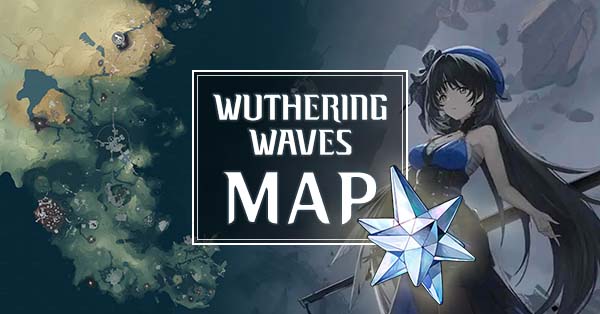
Qiqi's Notebook is an interactive map covering several gacha games (Genshin Impact, Honkai: Star Rail, Zenless Zone Zero, and Wuthering Waves) from a single site. For Wuthering Waves it shows the locations of collectibles, Echoes, chests, and farming routes across the open world.
What sets it apart from a plain map is the "notebook" feature: a checklist layer that lets you mark each item you've already picked up. Instead of staring at the map trying to remember what's left, you tick off markers and the site tracks your exploration progress per region.
It's free, fast, and clean. No clutter, no walls of ads on top of the map.
What problem it solves
Wuthering Waves has a large open world, split into regions, packed with chests, ascension plants and minerals, rare Echoes, and puzzles. Hitting 100% exploration in a region means finding dozens of scattered collectibles, many of them hidden or locked behind a puzzle.
Without a tracking tool, the problem isn't just "where is each thing" but "what have I already collected and what's left". Coming back to a half-cleared region with no idea which markers are still pending wastes time revisiting the same spots. The checklist solves exactly that friction: the map stops being a static reference and becomes a to-do list with state.
Differentiation
Qiqi's Notebook competes directly with Appsample as an interactive Wuthering Waves map. Its edge is persistent tracking: the checklist remembers what's left so you don't have to.
In exchange, it's more closed than Appsample. There's no social layer of comments with user photos; the markers are the ones the Qiqi's team places. It's the more polished, orderly option, built for someone running a systematic exploration cleanup, not for someone who needs community hints when a marker is ambiguous.
What people use it for
- Closing 100% exploration per region by marking each chest and collectible as they grab it.
- Planning farming routes for ascension plants and minerals before heading out.
- Finding specific Echoes when a collection is incomplete or a particular drop is needed.
- Resuming a half-done region by seeing at a glance which markers are still unchecked.
- Tracking long-term progress across sessions without having to remember where they left off.
Who this tool is NOT for
If you just want a quick one-off lookup ("where is this chest?") and don't care about tracking anything, the checklist is overhead you won't use. It's also not for someone after game data: there are no Resonator, weapon, or Echo stat pages; it's strictly a map. And if you lean heavily on community hints for confusing markers, Appsample with its comments section will serve you better.
How it's used in practice
- Open qiqis-notebook.com and select Wuthering Waves.
- Pick the region of the map you want to explore.
- Toggle marker layers on or off depending on what you're after (chests, collectibles, Echoes, etc.).
- Sweep the region in-game and, as you collect each item, mark its marker on the map.
- Use the progress view to see what percentage you've reached and what's left before moving to the next region.
Honest limitations
- Progress depends on your manual marking: if you forget to tick something off, the checklist drifts out of sync with your actual account.
- It's not a database: for character stats, kits, or materials you'll need another site.
- No community layer: when a marker is ambiguous, there are no comments or user photos to clarify the exact spot.
- Coverage is subject to updates: collectibles in freshly launched regions may take time to appear in full after a patch.
How to get started
Head to qiqis-notebook.com, select Wuthering Waves, and start with the region you're currently exploring. You don't need an account to use the map; tracking is saved in your browser, so it's best to always use the same machine to keep your progress. Enable only the marker layers you care about to avoid visual overload, and work region by region, ticking off as you collect.
Alternatives to Qiqi's Notebook
If Qiqi's Notebook isn't the right fit, these Wuthering Waves tools cover similar needs.