What it is
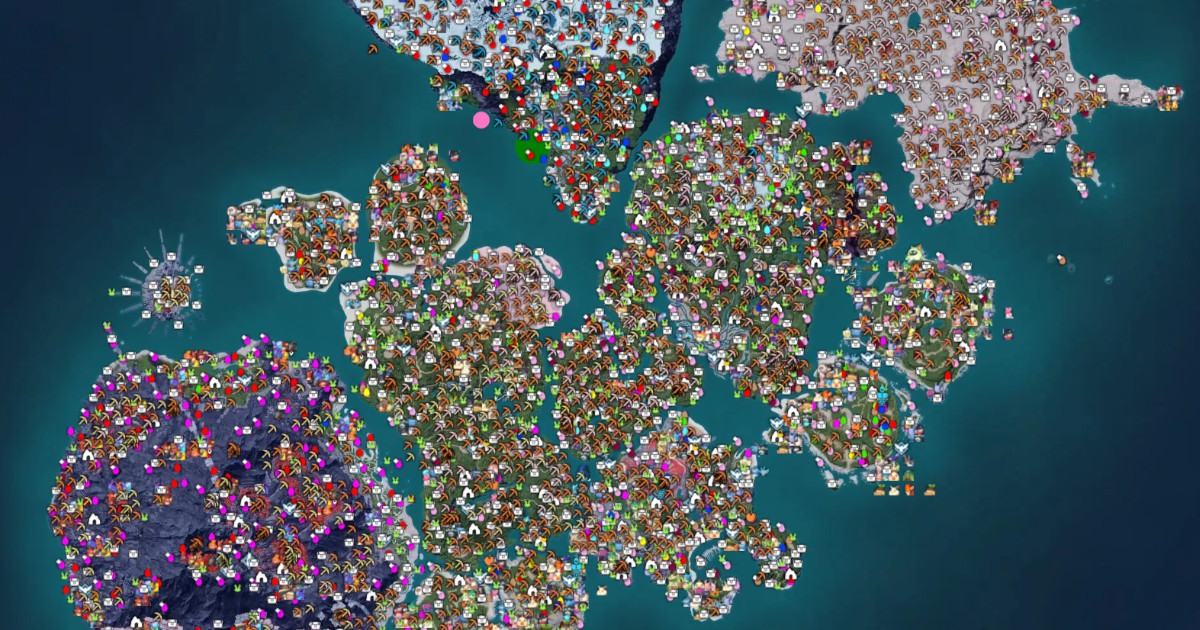
Palworld THGL Map (palworld.th.gl) is an open-source interactive map maintained by Leon Machens of The Hidden Gaming Lair, who also operates similar maps for New World, Diablo IV, Throne and Liberty, and other games. The differentiator vs other maps is an optional Windows overlay app that detects your in-game position and shows it on the map in real time.
What problem it solves
Web maps are useful but force you to leave the game, open a browser, mentally locate yourself. For long exploration sessions (hunting Lifmunk Effigies, dungeons, or rare Pals) that breaks the rhythm. The overlay lets you keep the map always visible on a second monitor or as a floating window, and see where you are without pausing.
How it differs
Compared to the Palworld.gg map (another popular map), THGL wins on:
- Desktop overlay with real-time position tracking: you watch your character move on the map.
- Open source: code is on GitHub, you can verify what it does.
- Multiplayer-friendly: you can share markers with your group via room codes.
Palworld.gg wins on:
- Zero install: just web, open and go.
- Better data presentation: more polished layers, more intuitive filters.
- No Windows requirement: runs on any device with a browser.
If you just want a quick map, Palworld.gg. If you're seriously exploring and have Windows, THGL.
What people use it for
- Live tracking during exploration: leave the overlay running while you hunt Lifmunk Effigies or dungeons.
- Coordinate multiplayer runs: share markers with the group (open dungeons, alphas spotted).
- Plan farming routes: drop pins, build an optimal loop.
- Track Predator Pals and world-tier bosses: updated for Tides of Terraria.
Who this isn't for
If you play on Xbox or won't install a tracking app, use a web map. The overlay needs Windows and permission to read the game process memory — anyone paranoid about that should stick with the pure web version.
How it's used in practice
Web version:
- Hit palworld.th.gl in any browser.
- Toggle layers (Pals, dungeons, fast travel, alphas, effigies).
- Right-click the map to drop personal markers.
Overlay version (Windows):
- Download the Skeleton App from th.gl.
- Open it alongside Palworld.
- Configure overlay on top of the game, or floating window on another monitor.
- Your position updates in real time.
Honest limitations
- Overlay Windows-only: no Mac, no Linux, no Xbox.
- Requires process tracking: like any overlay, it reads game data. Some antivirus tools are sensitive — add an exception if needed.
- Limited multiplayer tracking: works but room-code syncing is clunkier than a native collaborative map.
- Slower content updates: small team maintaining many games, so Pals/dungeons from new patches typically take longer to land than on Palworld.gg.
How to get started
For the web version, hit palworld.th.gl. For the overlay, download the Skeleton App from th.gl, install it, and add Palworld from the supported games catalog.
Alternatives to Palworld THGL Map
If Palworld THGL Map isn't the right fit, these Palworld tools cover similar needs.