What it is
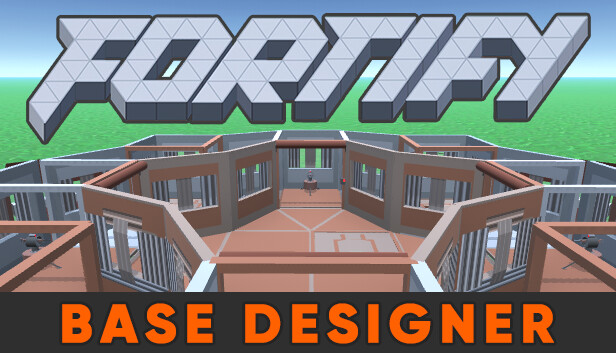
FORTIFY is a free Steam app (released in 2017, actively maintained) that replicates Rust's building system in a standalone sandbox. Same placement rules, same stability mechanics, same costs and health pools. It lets you design a full base offline, test how much it costs to raid, see upkeep in M³ of stone/metal/HQM, and import/export via the Copy-Paste plugin format for servers that allow it.
What problem it solves
Building a serious base in Rust inside the game is expensive and slow: you have to farm the resources, find the spot, and if you mess up on stability or leave a peek hole, you already spent all the wood and stone. FORTIFY lets you iterate the design with no time or resource cost. You test the layout, test how expensive it is to raid, adjust honeycomb, and only when you're satisfied do you build it on the live server.
Differentiation
No real competition in this niche. The closest alternative is building on a build server (private servers that give infinite resources for practice), but that requires login, doesn't allow automated raid testing, and doesn't expose stability as a visualizer. FORTIFY does all three in one standalone app.
What people use it for
- Designing the wipe base: plan the layout 1-2 days before force wipe to start the wipe with a clear build and known cost.
- Testing raid resistance: see exactly how many rockets / C4 / satchel it costs to break each wall to your loot room.
- Upkeep calculation: see the stone/metal/HQM cost per hour to maintain the base, plan how much you need to farm regularly.
- Stability visualization: see which walls are supported by which pillars, find weak points where a raid can drop many walls by collapsing one pillar.
- Sharing builds: export via Copy-Paste format to share with clan, or upload/download designs from Steam Workshop.
Who this isn't for
If you only play casually and build 2x1 starter bases, FORTIFY is overkill. If you play on a server that doesn't support the Copy-Paste plugin, you can't import designs — but it still works for planning visually. If you want to test electricity, this isn't the tool: for that, Rustrician.
How to use it
- Install FORTIFY from Steam (free).
- Open the editor, choose biome and area size.
- Build with the same keybinds as Rust (left-click placement, scroll wheel rotate).
- Toggle "Stability" view to see the support grid.
- For raid testing, "Raid Mode" lets you simulate explosive impacts and see what falls.
- Export via "Copy" if the server supports it, or screenshot to plan visually.
Honest limitations
- Windows only: no macOS or Linux version.
- Doesn't fully replicate the raid meta: some edge mechanics (ladder hatches, soft side abuse) need in-game testing.
- UI is functional but dated: it's from 2017 and it shows — not pretty but works.
- Slow updates: when Facepunch adds a new wall type, FORTIFY can take weeks to incorporate it.
- Server side: not all servers allow Copy-Paste, so exports are sometimes only visual reference.
Getting started
Search FORTIFY on Steam, install (free). For first use, follow the in-app tutorial or watch a Blooprint or Frost video on "How to use FORTIFY" — the initial curve is ~30 minutes to understand the flow.