What it is
Rustrician is a free web simulator of Rust's electricity system. It has every in-game component (small generator, large solar panel, batteries, branches, splitters, blockers, switches, timers, counters, RAND switch, smart switch, AND/OR/XOR/NOT gates) with real power flow. You design the circuit on a drag-and-drop canvas, simulate it, and when it works you build it on the server confident it'll run.
What problem it solves
Rust's electricity is one of the deepest systems in the game — and one of the most opaque. Power flow is directional, components consume specific power (not plug-and-play), branches split but don't sum, batteries have different input/output depending on charge state. Learning this in-game is expensive: each test costs wood, metal, and time. Rustrician lets you iterate circuits at zero cost, see power consumption on each wire, and debug visually.
Differentiation
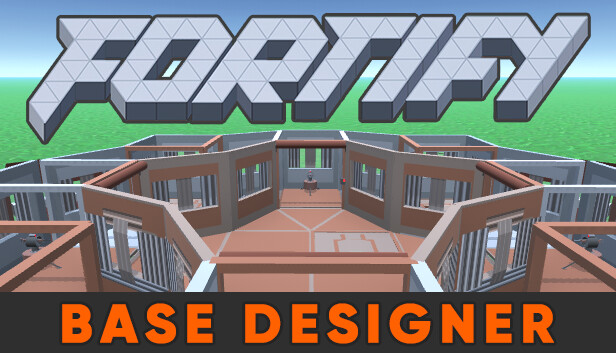
No real competition. FORTIFY covers physical base construction but not electricity. The manual option is building on a build server, but there you have no power flow visualization or visual debug. Rustrician is the only tool that simulates the electrical system at 1:1 fidelity.
What people use it for
- Designing your auto-turret system: total power budget, distribution to each turret, splitters and blockers so the system holds when a battery discharges.
- Electrical traps: timers + traps for door automation, peek hole flooders with timed shotgun traps.
- Smart switches + Rust+: building circuits controlled from mobile via the companion app (smart switches exposed to companion).
- Coordinated lighting: ceiling lights and search lights in zones with switches, dimmers via counters.
- Logical counters: using counters as logic gates for complex automation (doors that only open with code + presence sensor).
Who this isn't for
If you just use a small generator with 2 ceiling lights, Rustrician is overkill. If your circuit is simple (battery + auto turret + switch), building it in-game is just as fast. If you want to plan the whole base including walls, Rustrician doesn't cover construction — that's FORTIFY.
How to use it
- Open rustrician.io, no registration.
- Drag components from the side panel onto the canvas.
- Connect wires with click + drag between output and input pins.
- Click "Run Simulation" to see power flow live, with power numbers on each wire.
- For fast iteration, "Toggle Switch" / "Press Button" interact with the live circuit.
- When it works, replicate it on the server following the same layout.
Honest limitations
- UI is 8 years old: does its job but isn't pretty. Mobile not supported.
- No in-app tutorial: if you've never touched Rust electricity, the curve is steep — better to read the Rust electricity wiki or watch a video tutorial first.
- Some new components take time to be added: when Facepunch adds a component, Rustrician can take 2-4 weeks.
- Simulation only, no server export: there's no Copy-Paste format equivalent for circuits, so replication is manual.
Getting started
Open rustrician.io. To get going, there are templates for common circuits (auto-turret setup, smart base, timed door) accessible from the menu. Load one, understand it, modify it. To learn from scratch, the official Rustrician Discord (linked from the site) has help channels where the community answers questions.