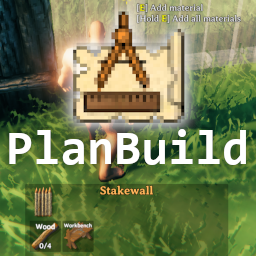
What it is
PlanBuild is an open-source (MIT) mod built by MathiasDecrock and maintained today by sirskunkalot. It adds two items to the game:
- Plan Hammer: a "ghost" version of the hammer. Build whole structures without spending materials — every piece sits in plan state (translucent, no functional collision). When you're happy, gather materials and a system lets you build the planned pieces one by one, or use a custom totem that builds them automatically.
- Blueprint Rune: a wand that captures an existing structure into a blueprint object. Save it, share it, paste it in another world. Acts as copy/paste for any build.
On top of that, it includes terraform modes (raise/lower/level/paint terrain) and immersion items (extra decorative props). The full package covers the "design → build → replicate → share" cycle vanilla doesn't support.
What it solves
Building in vanilla Valheim has three big frictions:
- You can't plan without spending. Want to see if a roof idea works — spend real wood, break it if you don't like it, spend more. Expensive iteration.
- You can't easily replicate. Built a beautiful base. Want to repeat it in another world. Take screenshots, open the new world, try to rebuild from memory. Painful.
- You can't share builds. Your epic castle stays in your world. For another player to have it, they need to watch your YouTube and rebuild by hand.
PlanBuild solves all three:
- Plan Hammer lets you iterate for free. Design, tweak, delete, redraw. When approved, spend materials.
- Blueprint Rune lets you replicate instantly. Your entire base fits in an object that pastes its contents into another world (given you have the materials).
- Combined with Valheimians.com (blueprint sharing site), your build is one download away for any player with the mod.
Differentiation
No direct competitor. PlanBuild defines the advanced-building category in Valheim. It's the mod any serious builder installs.
BuildShare existed before (simpler copy/paste-only mod, no Plan Hammer). PlanBuild absorbed it: it does everything BuildShare did plus planning. The community migrated wholesale.
Vs. vanilla: vanilla has no equivalent. Iron Gate hasn't added planning or blueprints, and given the game's philosophy (every structure has a cost), probably won't.
What people use it for
Iterative base design. Outline the structure with Plan Hammer, walk around, tweak roofs, alter the layout. No materials spent. When it works, gather the wood/stone and materialize.
Megabases and castles. Multi-hundred-piece structures get designed in stages: tower by tower, wing by wing. Plan Hammer lets you see the whole before committing.
Replicating your base in a new world. Iron Gate ships a patch, you want a fresh world, you don't want to lose your current base: Blueprint Rune captures everything, paste into the new world, done.
Sharing blueprints. Upload your build to Valheimians.com with the PlanBuild file. Other players download and build it in their world.
Co-op servers. One player designs with Plan Hammer while the rest gathers materials. When everything's ready, they build what's planned in hours instead of days.
Precise terraforming. PlanBuild's terrain modification is more controlled than vanilla — exact heights, biome paint, smooth/sharpen tools.
Who this tool is not for
If you like vanilla building as is: PlanBuild adds no value. Iron Gate's intent is that every structure has its material and time cost.
If you play public no-mods servers: PlanBuild requires client install. You won't connect to a vanilla server with it active.
If you build small bases (cabins, simple outposts): unnecessary. Plan Hammer and Blueprint Rune are overkill for 50 pieces.
If your focus is hardcore survival: for some purists, planning without spending materials breaks survival tension. PlanBuild is for builders more than survivalists.
How it works in practice
- Install PlanBuild via r2modman/Gale/TMM (building category).
- Launch the game. PlanBuild requires
Jotunnas a dependency — the manager pulls it in. - In-game, craft the Plan Hammer. Recipe matches the vanilla hammer.
- Equip the Plan Hammer and build whatever you want. Pieces appear translucent.
- Once you're happy with the design, you can:
- Materialize pieces one by one with the vanilla hammer (it indicates which materials are needed).
- Use the PlanBuild totem that auto-builds when you deposit materials.
- For Blueprint Rune: craft it (recipe in the mod's wiki). Point at an existing structure, select the bounding box, save the blueprint with a name.
- To use a blueprint: equip the rune, pick the blueprint from the menu, paste on the ground. It appears as a ghost. Materialize like Plan Hammer.
- To share: blueprints save in
BepInEx/config/PlanBuild/blueprints/. Share that file, other players import it.
Honest limitations
Fresh game modifications can break it. When Iron Gate changes the building system (Hearth & Home did), PlanBuild needs an update. Typically 1-3 days.
Complex blueprints can lag. Castles with 10,000+ pieces take time to load and materialize. Not a bug, just the game's nature.
Materials still cost. PlanBuild plans free but real construction costs. If your designed base needs 5,000 wood, you still gather 5,000 wood.
Server matching mandatory. Server and clients need PlanBuild. A client without it can't connect to a server with PlanBuild on (or it connects but doesn't see the plans).
Initial curve. The idea is simple, but mastering Plan Hammer + Blueprint Rune + correctly-aligned paste takes a couple of hours.
Getting started
- Install via r2modman/Gale/TMM into a modlist with BepInEx + Jotunn.
- Launch Valheim, enter a world.
- Craft the Plan Hammer (needs the vanilla hammer unlock first).
- Experiment: plan a simple cabin. Try deleting pieces, moving them, tweaking.
- Once comfortable with Plan Hammer, craft the Blueprint Rune.
- Capture an existing build (any structure you already have).
- Paste it somewhere else in the world to see how it works.
- Once you've got the flow, download community blueprints from Valheimians.com.
For visual guides, valheim.fandom.com has a dedicated PlanBuild page, and Valheimians.com/article/planbuild-how-to-install-and-basic-usage has a screenshot walkthrough.