What it is
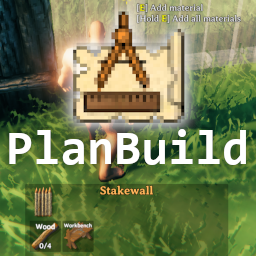
Valheimians is a web community maintained by Cyprezz LLC dedicated exclusively to Valheim. It started as a blueprint sharing site (for PlanBuild/BuildShare) and grew to cover builds, mods, textures, articles, and forums.
The core feature is still the builds catalog: every entry has screenshots, builder description, tags (structure type, biome, difficulty), and optionally a .blueprint file ready to download and import into PlanBuild in your game. It includes hot/popular/recent rankings and theme filters.
What it solves
Before Valheimians, sharing a Valheim build meant:
- Uploading screenshots to Imgur/Reddit.
- Hoping someone saw it on r/valheim and liked it.
- If someone asked for the blueprint, trading it via Discord or Dropbox.
Unviable as a workflow. Valheimians centralizes that:
- Indexable, searchable, with metadata (biome, type, difficulty tags).
- Blueprint files attached to each build, downloadable without negotiation.
- User accounts with favorites, follows, creator rankings.
- Comment system for technical questions ("how did you do the curved roof?").
For builders it's a showcase. For players seeking inspiration or blueprints it's the first stop.
Differentiation
Vs. r/valheim (subreddit): Reddit is good for discussion and casual sharing; Valheimians is structured, persistent, optimized for search. A build on Reddit sinks in a week; on Valheimians it lives forever.
Vs. YouTube building tutorials: YouTube teaches technique; Valheimians gives you the final result as a download. Complementary — watch a YouTube to understand how to build a curved roof, then download a blueprint on Valheimians for a ready-made one.
Vs. Nexus Mods: Nexus hosts mods and assets; Valheimians is specifically about blueprint sharing. Different categories with minimal overlap.
What people use it for
Browsing build inspiration. Categories like "Castle", "Viking Longhouse", "Tavern", "Harbor" have hundreds of builds. Filter by biome to see Plains-themed vs Mountain vs Mistlands.
Downloading ready blueprints. If a build you like has a .blueprint from the creator, download it, import it into PlanBuild, build it in your world. Especially useful for starter bases or iconic builds you don't want to design from scratch.
Showcasing your work. If you build significant bases, posting them on Valheimians gives real community visibility. Creators with many published works build a reputation.
Learning advanced techniques. Some creators publish builds with technical notes — what pieces they used, how they achieved certain details, what mods (if any) they used. Educational.
Hunting curated mods. The mods section has community reviews with screenshots and use cases, a complement to Thunderstore (which is more of a raw catalog).
Who this tool is not for
If you don't install PlanBuild: downloaded blueprints won't help. You need the mod to import them.
If you only build basic cabins: builds on the site target a more advanced audience. You won't find tutorial-level entry points here.
If you want content in Spanish: Valheimians is English-only. There are Spanish-speaking creators but the UI and most descriptions are in English.
If you don't want to create an account: downloading blueprints or commenting requires registration. Public browsing works without login.
How it works in practice
- Go to
valheimians.com. - Navigate "Builds" from the main menu. Filters: biome, type (residential/military/tavern/castle/etc.), difficulty, sharing type (downloadable vs showcase only).
- When you find something you like, open the build's page.
- If it has a
.blueprintattached, download it (free account needed). - Move it to
BepInEx/config/PlanBuild/blueprints/in your Valheim install. - In-game, equip Blueprint Rune (PlanBuild), open the blueprints menu, pick the new one, paste it where you want.
- Materialize with the vanilla hammer (it indicates the materials needed).
To upload your own builds, "Submit your build" in the menu. Upload screenshots, description, tags, and optionally the .blueprint.
Honest limitations
Account required for downloads. Browsing is free, but downloading blueprints requires an account. Sign-up is free but extra overhead.
Variable quality. Like any community-driven site, there are excellent builds and mediocre ones. Rankings help but you have to filter.
Not real-time Discord. If you have urgent questions about a build, comments can take days to be answered. For quick support, the official Valheim Discord is still better.
Secondary mods section. The mods area exists but the catalog is small compared to Thunderstore. Complementary, not a replacement.
Ads. The site monetizes via ads. Ad blockers mitigate, but by default you'll see banners.
Cloudflare can be aggressive. May require captchas/challenges to browse, especially from suspicious IPs (VPN, etc.).
Getting started
- Go to
valheimians.com. - First browse: navigate "Builds → Most Downloaded" to see community hits.
- If you have PlanBuild installed, download a simple one (a "Starter House" type) and test it in your game.
- Once familiar, register (free).
- Bookmark favorites, follow your preferred creators.
- When you build something notable, consider uploading. The submission flow is straightforward: screenshots + description + tags.
To browse without login, all builds are publicly visible; downloads and comments require an account.