What it is
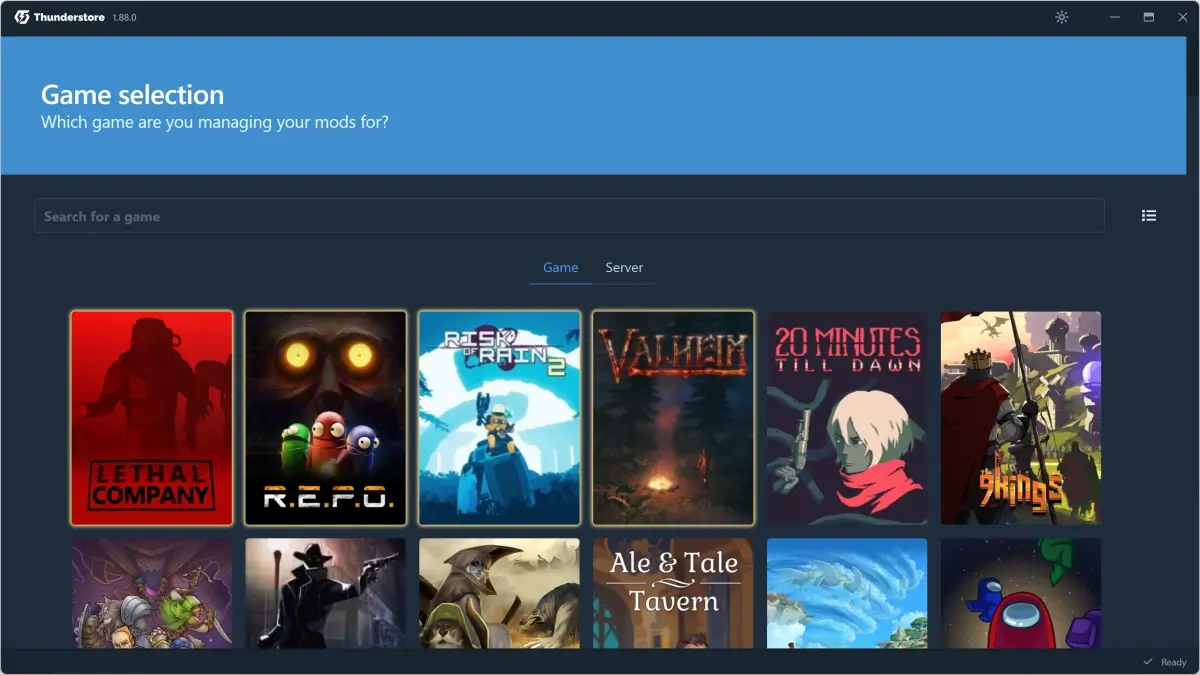
r2modman is an open-source (MIT) mod manager built by ebkr, originally for Risk of Rain 2 (hence the "r2"). It now supports 150+ games in the Thunderstore ecosystem, including Valheim, Lethal Company, REPO, and a handful of modern survival/co-op titles.
It's the default tool the Valheim community points at when someone asks "how do I start modding". Works on Windows, Linux, and macOS, ships as a standalone build (no Overwolf, no account), and stays actively maintained.
What it solves
Modding Valheim manually means:
- Downloading BepInEx, unzipping it into the game folder.
- Per mod, downloading the .zip, reading instructions, moving DLLs into
BepInEx/plugins/. - If two mods depend on different Jotunn versions, breaking and debugging.
- To try another modlist, copying the whole game folder or reverting by hand.
r2modman wipes every step:
- BepInEx installs automatically the first time you enable a mod.
- Mods download from the Thunderstore catalog with a single click.
- Dependencies resolve themselves — a mod that needs Jotunn 2.x pulls it in.
- Each profile is an independent modlist. You switch between "vanilla", "co-op with friends", and "QoL only" without reinstalling anything.
Differentiation
Vs. Thunderstore Mod Manager: TMM is the Overwolf "official" build — friendlier UI but requires installing Overwolf and creating an account. r2modman is standalone, opens faster, and doesn't track you. Most veteran community uses r2modman.
Vs. Gale: Gale is more modern (Svelte + Tauri) and faster, but r2modman has more years of real use and handles edge cases better. When Gale breaks on a specific mod, people fall back to r2modman.
Vs. manual install: total control, but doesn't scale. Past 5 mods it gets fragile.
What people use it for
QoL modlist — installing 10-15 quality-of-life mods (Craft from Containers, ValheimRAFT improvements, EquipmentAndQuickSlots) without thinking twice.
Friend group server — exporting a full profile, sharing it, and everyone loads exactly the same mods. r2modman includes export/import with shareable codes.
Trying aggressive mods — spinning up a separate profile to experiment with Epic Loot, Therzie's monsters, Better Trader, etc. without polluting the main world.
Multiple worlds / multiple patches — when Iron Gate ships a patch and mods take time to update, keeping one profile on the old game version and another empty for current vanilla.
Clean backups — profiles live in %APPDATA%/r2modmanPlus-local/. If something breaks, delete the profile and rebuild without touching the Valheim install.
Who this tool is not for
If you mod a game that's NOT on Thunderstore (Skyrim, Cyberpunk 2077, etc.): r2modman doesn't help. For those, Vortex or MO2 are the answer.
If you want a specific mod that lives only on Nexus Mods and never made it to Thunderstore: you'll need to install it manually anyway. r2modman doesn't pull from Nexus.
If profiles bug you and you only want 2-3 mods always on: any mod manager works; r2modman's value kicks in past 10 mods or when juggling multiple modlists.
How it works in practice
- Download r2modman from its Thunderstore page (
thunderstore.io/c/valheim/p/ebkr/r2modman/) or GitHub. - Run the installer (.exe on Windows, AppImage on Linux, .dmg on macOS).
- On first launch, pick "Valheim" from the games list. r2modman auto-detects the Steam install; otherwise point it at the folder.
- Create a profile (e.g., "Co-op survival").
- In the "Online" tab, search mods by name or category. Click "Download" on each.
- When ready, click "Start modded" top-right. r2modman injects BepInEx + the mods into the game folder at launch.
- To return to vanilla, close r2modman and launch Valheim normally from Steam — mods are only injected through r2modman.
Honest limitations
Thunderstore-only. Mods that live exclusively on Nexus or in GitHub raw downloads aren't pulled. For those, manual install on top of an r2modman profile is possible but breaks the one-click promise.
Functional but unpolished UI. It's Electron with that generic look. Gets the job done, doesn't excite.
Mod updates occasionally break profiles. When a mod ships a breaking version and another mod still depends on the old one, r2modman tries to resolve but sometimes you tune the version manually. Lock files aren't a thing.
No direct dedicated-server mod support. Modding a Valheim dedicated server means copying mods to the server by hand. r2modman doesn't automate that (though you can use its profile as a source).
Getting started
- Go to
thunderstore.io/c/valheim/p/ebkr/r2modman/and download the installer for your OS. - Install and open.
- Select "Valheim".
- Create a profile "Survival QoL" (or whatever you want to call it).
- As a first mod, install BepInExPack Valheim (it'll come in as an auto-dependency anyway, but confirming it's there is wise). Search "BepInExPack" in Online.
- Add Jotunn (a dependency for many important mods).
- Try a small mod like "Auto Pickup", "Smart Containers", or "Craft From Containers".
- Click "Start modded" and verify the game opens with the BepInEx console showing the loaded mods.
If you want visuals, the r2modman wiki at r2modman.net and the Thunderstore docs (thunderstore.io/wiki/) cover the common cases.
Alternatives to r2modman
If r2modman isn't the right fit, these Valheim tools cover similar needs.